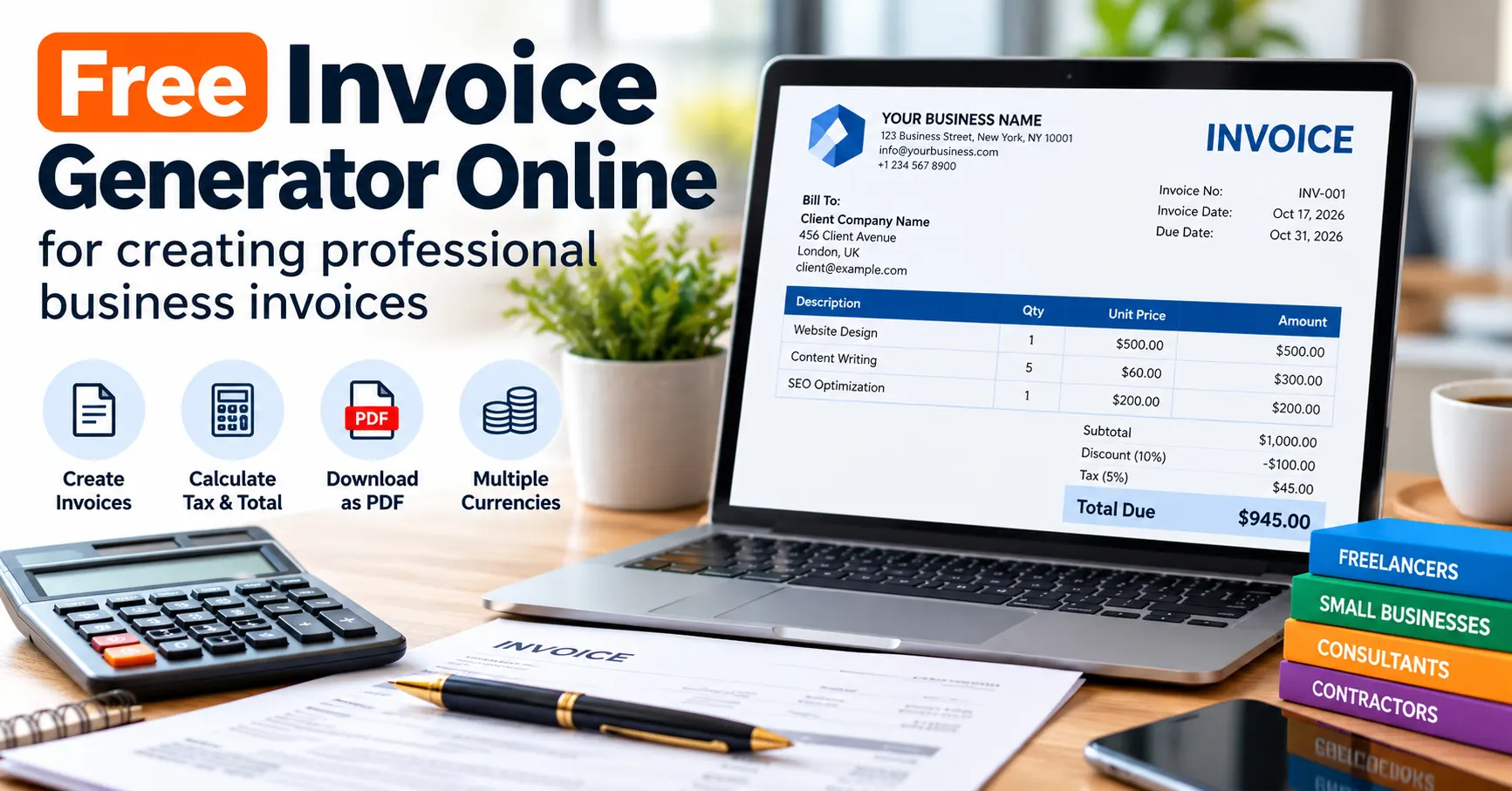
Use our free invoice generator to create professional invoices, calculate discounts and taxes, and print or save PDFs. Ideal for freelancers and small businesses.
Create an Free Invoice Generator Online in Minutes
Need a professional invoice without paying for expensive accounting software? Our free invoice generator helps freelancers, consultants, contractors, and small business owners create invoices, calculate totals, and print or save invoices as PDF files.
Enter your business details, add your customer’s information, list your products or services, and apply the appropriate discount and tax rate. The invoice total updates automatically, helping you prepare a clear invoice for clients in the USA, UK, Canada, Australia, and other countries.
Use the free invoice generator below to create your invoice in minutes.
Free Invoice Generator
Enter your details, add invoice items, and print or save your invoice as a PDF.
From: Your business
Bill to: Customer
Invoice items
| Description | Quantity | Unit price | Amount | Remove |
|---|
Discount, tax and total
Tax is calculated on the subtotal after discount. This is a general calculation method, not a determination of your legal tax obligations. Confirm local rules before issuing the invoice.
Payment details and notes
Your invoice is calculated in this browser. This tool does not provide online payment processing, cloud storage, automatic tax-rate lookup, or accounting records. Save your PDF somewhere secure before clearing the form.
What Is a Free Online Invoice Generator?
An online Free Invoice Generator is a tool that helps you prepare a document requesting payment for products or services. Instead of creating an invoice manually in a spreadsheet or word processor, you enter the relevant details into a form and let the calculator work out the totals.
A useful invoice generator can help you:
- Create professional invoices for clients.
- Calculate item totals, discounts, taxes, and the final amount due.
- Include invoice numbers, issue dates, and payment due dates.
- Display business and customer information clearly.
- Print an invoice or save it as a PDF.
- Reduce arithmetic errors and repetitive administrative work.
This tool is particularly useful for freelancers, independent professionals, consultants, designers, developers, tradespeople, and small service businesses.
How to Create an Invoice Online for Free
Follow these steps to prepare an invoice using the calculator on this page.
Step 1: Enter Your Business Details
Add your business or trading name, address, email address, and other relevant contact information. If applicable, include your business registration number, tax identification number, VAT number, GST registration details, or Australian Business Number (ABN).
Only include registration details that apply to your business and jurisdiction.
Step 2: Add Your Customer’s Information
Enter the customer’s name or business name and billing address. For business-to-business transactions, check whether your customer requires additional information, such as a tax registration number or purchase order reference.
Accurate customer details make invoices easier to process and help prevent payment delays.
Step 3: Set the Invoice Number and Dates
Give each invoice a unique identification number, such as INV-2026-001. Use a consistent numbering system that helps you locate invoices later.
Enter the invoice issue date and payment due date. Make sure the due date matches the payment terms agreed upon with your customer.
Step 4: Add Products or Services
Describe each product or service clearly. Enter the quantity and price per unit. The calculator multiplies the quantity by the unit price to calculate each line total.
For example, if you provide five hours of consulting at $60 per hour, the service subtotal is $300 before any discount or applicable tax.
Step 5: Apply Discounts and Taxes
If you have agreed to a discount, enter the appropriate percentage. Then enter the applicable sales tax, VAT, GST, or other tax rate.
Important: The calculator does not select the correct tax rate for you. Tax treatment depends on your location, registration status, the product or service, and the transaction. Confirm the correct rate and calculation method before sending your invoice.
Step 6: Add Payment Instructions
Include your accepted payment methods, bank transfer instructions, payment link, or other relevant details in the notes section. Do not include passwords, PINs, or unnecessary sensitive financial information.
Clear payment instructions help customers understand how to settle the invoice.
Step 7: Print or Save Your Invoice as a PDF
Review the invoice for spelling mistakes, incorrect quantities, dates, tax amounts, and customer details. Use the print option and select Save as PDF in your browser’s print dialog.
Open the resulting PDF before sending it to your customer to confirm that the layout and totals are correct.
What Should a Professional Invoice Include?
A well-prepared invoice should normally include the following information, with additional details where local rules require them.
| Invoice field | What to enter |
|---|---|
| Business details | Business name, address, and contact information |
| Customer details | Customer or company name and billing address |
| Invoice number | A unique identification number |
| Issue date | The date the invoice was issued |
| Supply date | When goods or services were supplied, if required |
| Description | A clear description of each product or service |
| Quantity and rate | The number of units and price per unit |
| Subtotal | The amount before discounts and applicable taxes |
| Discount | Any agreed discount |
| Tax details | Applicable rate and tax amount |
| Total due | The final amount payable |
| Payment terms | Due date and accepted payment methods |
| Tax registration details | VAT, GST, ABN, or other required identifiers, where applicable |
Requirements vary by country, business status, and transaction type. Use the relevant tax authority’s guidance when preparing an official tax invoice.
Invoice Requirements in the United States, United Kingdom, Canada, and Australia
The same basic invoice structure can be useful internationally, but tax rules are not identical in every country.
United States: Sales Tax and Business Invoices
Businesses in the United States may need to account for state and local sales tax, depending on the transaction and their obligations. Requirements can vary by state, locality, product, service, and customer type.
Use the appropriate currency, generally USD for domestic US transactions, and show any applicable sales tax clearly. Confirm your obligations with the relevant state tax authority or a qualified tax professional.
United Kingdom: VAT Invoices
VAT-registered businesses may need to issue VAT invoices containing specific information, including a unique invoice number, supplier and customer details, dates, descriptions of goods or services, VAT information, and amounts payable.
Consult the official GOV.UK guidance on invoice requirements before issuing a VAT invoice.
Canada: GST/HST and Other Applicable Taxes
Canadian businesses may need to show GST/HST information and other applicable tax details depending on the transaction and province or territory. Quebec may also involve QST requirements.
Check the Canada Revenue Agency’s GST/HST guidance and the relevant provincial requirements before preparing tax invoices.
Australia: GST and Tax Invoices
Australian businesses registered for GST must follow applicable tax-invoice rules. Relevant details can include the supplier’s business name and ABN, invoice date, a description of the goods or services, and GST information where required.
Read the official Australian Government invoicing guide to understand which invoice type applies to your business.
Remember: A general-purpose invoice generator is not a substitute for jurisdiction-specific accounting or tax software when your business requires specialized compliance features.
How to Calculate an Invoice Total
An invoice usually starts with the sum of the line items. An agreed discount may then reduce the subtotal, after which applicable taxes are calculated according to the rules for the transaction.
For a simple example, suppose a freelancer provides the following services:
| Description | Quantity | Unit price | Line total |
|---|---|---|---|
| Website design | 1 | $500.00 | $500.00 |
| Content writing | 3 | $100.00 | $300.00 |
| Subtotal | $800.00 |
Assume a 10% discount applies to the subtotal. The discount is $80, leaving $720 before tax.
If a hypothetical 5% tax applies to that discounted amount, the tax would be $36, giving a total of $756.
These figures are illustrative only. Actual tax rates, taxable amounts, rounding rules, and discount treatment depend on the applicable tax rules and the transaction.
Benefits of Using a Free Invoice Generator
Save Time on Routine Billing
Once you know what information is required, an invoice calculator can help you prepare invoices more quickly than starting with a blank document every time.
Reduce Calculation Errors
Automatic line totals and invoice totals reduce the risk of simple multiplication and addition mistakes. You should still check the result before issuing the invoice.
Present a Professional Image
Consistent invoice numbering, clear descriptions, organized totals, and readable payment instructions make it easier for customers to understand what they owe.
Work With Different Currencies
A multi-currency invoice tool can be useful when you work with customers in different countries. Choose the currency agreed upon with your customer and confirm any applicable foreign-exchange or accounting requirements.
Changing the currency symbol does not convert an amount into another currency.
Keep Your Workflow Simple
A printable invoice is useful for one-off projects, small businesses, and freelancers who need a straightforward billing document without a complex accounting system.
Free Invoice Generator vs. Accounting Software
A free invoice generator is useful when you need to create a straightforward invoice quickly. Dedicated accounting software may be more appropriate if your business needs recurring invoices, customer records, inventory management, bank reconciliation, payment reminders, expense tracking, or automated tax reporting.
Choose the solution based on the complexity of your business rather than the number of features alone.
Tips for Getting Paid Faster
- Send the invoice promptly after completing the agreed work or supplying the goods.
- Agree on payment terms before starting the project.
- Include a clear due date and accepted payment methods.
- Describe the work accurately so the customer understands the charges.
- Check that the customer’s billing details and purchase order reference are correct.
- Send a polite reminder if payment becomes overdue.
- Keep copies of issued invoices and related payment records in a secure location.
These habits can improve your billing process, although they cannot guarantee that every customer will pay on time.
Is this invoice generator really free?
Yes. The invoice calculator can be used without purchasing invoice-generation software. Your website hosting and other services may have their own costs.
Can I download my invoice as a PDF?
You can print the generated invoice using your browser and select Save as PDF. Check the saved file before sending it.
Does the invoice generator work in the United States, United Kingdom, Canada, and Australia?
It supports common currencies used in these countries. However, it does not automatically verify local invoice rules, tax registrations, or compliance requirements.
Can I calculate sales tax, VAT, or GST?
You can enter a tax percentage and calculate the resulting amount. You must determine the correct rate and tax treatment for your transaction.
Can I use this tool as a freelancer?
Yes. It can be useful for freelancers, consultants, designers, developers, and other independent professionals who need straightforward invoices.
Does changing the currency convert my invoice amount?
No. Selecting USD, GBP, CAD, AUD, or INR changes the currency display. It does not perform foreign-exchange conversion.
Is my invoice information stored on the website?
The proposed browser-based implementation calculates invoice values in the visitor’s browser and does not need to send invoice fields to a server. However, visitors should review the website’s privacy policy and understand that browser printing, downloads, extensions, and device settings may affect their local information.
Is the generated invoice legally compliant?
Not automatically. The tool creates a general-purpose invoice, but you are responsible for confirming that the document includes all details required for your business, customer, and jurisdiction.
Can I use this invoice generator on my phone?
The form can be designed to work on modern mobile browsers. For best results, review the print preview and PDF layout before sending an invoice.
Final Thoughts:-Free Invoice Generator
A clear invoice helps you communicate what you supplied, how much the customer owes, and when payment is expected. This free online invoice generator provides a straightforward way to enter business details, calculate line items, apply a discount and tax percentage, and prepare a printable invoice.
Use it for routine billing, review the final document carefully, and consult your local tax authority when your invoice must meet specific legal requirements.
Ready to create your invoice? Use the Free Invoice Generator at the top of this page and prepare your next invoice in minutes.