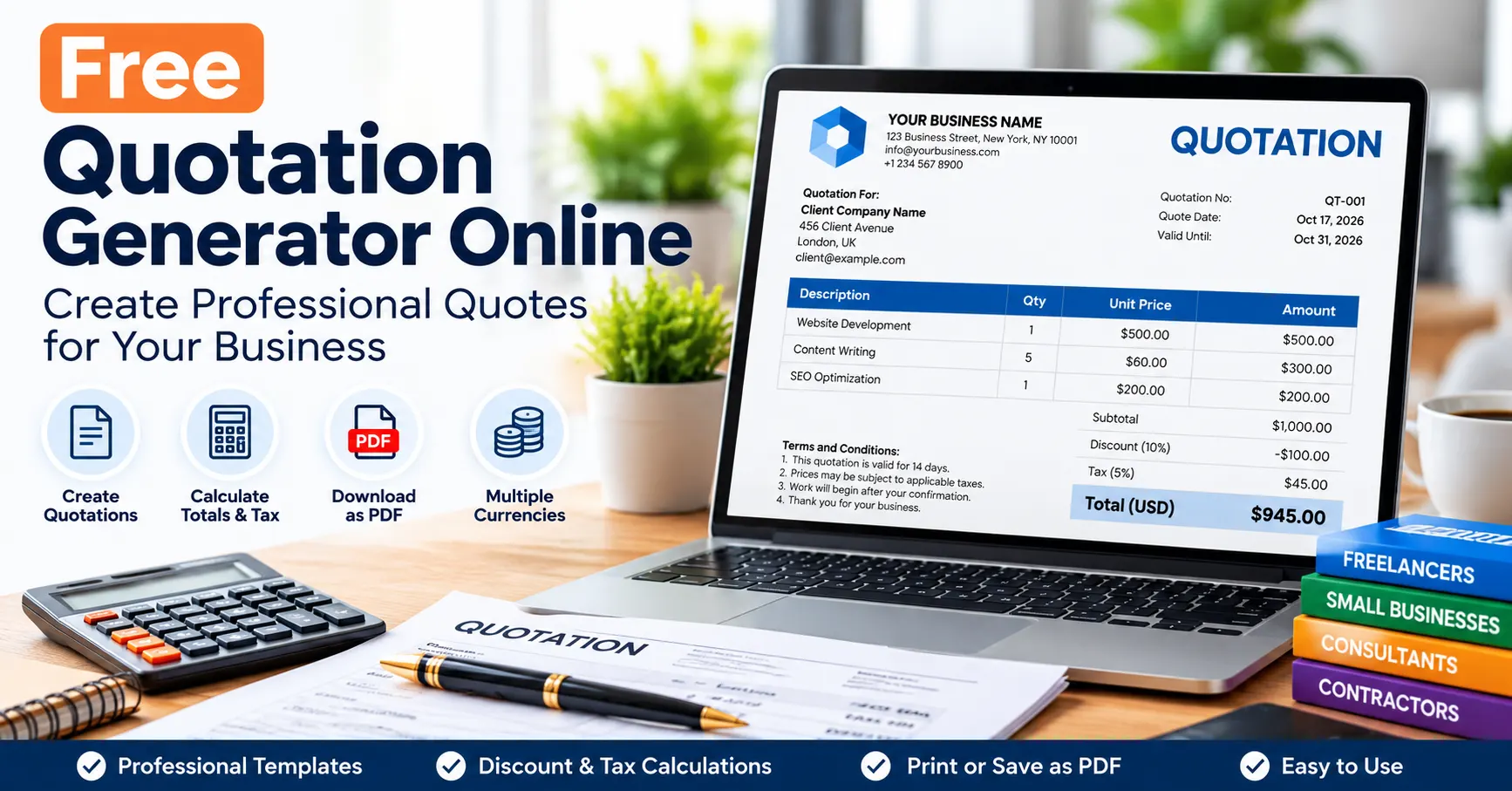
Create professional quotations online for free. Add products, services, discounts and taxes, calculate totals, and print or save your quote as a PDF.
Free Quotation Generator Online: Create Professional Quotes
Need to send a price estimate to a customer before starting a project? This free quotation generator online helps freelancers, consultants, contractors, and small businesses prepare professional business quotations in minutes.
Enter your business and customer details, add products or services, set a quotation validity date, and calculate discounts and taxes. You can then print your quotation or save it as a PDF to share with your customer.
Whether you work with clients in the United States, United Kingdom, Canada, Australia, or another country, this free quotation maker provides a simple way to prepare clear, organized price estimates.
Use the free quotation generator below to create your business quote.
Free Quotation Generator
Create a professional price quotation, calculate totals, and print or save it as a PDF.
From: Your business
Quotation for: Customer
Products and services
| Description | Qty | Unit price | Amount | Remove |
|---|
Discount, tax and total
Tax is calculated on the subtotal after discount. This is a general estimate, not a determination of the correct legal tax treatment. Verify local rules before issuing the quotation.
Terms and conditions
This tool does not record customer acceptance, create an electronic signature, send quotations by email, or store cloud records. Save your PDF securely before clearing the form.
What Is an Online Free Quotation Generator?
An online quotation generator is a tool that helps a business prepare a document outlining the proposed price and terms for products or services. Customers can review the quotation before deciding whether to proceed.
A quotation is generally a proposed price, while an invoice requests payment for goods or services supplied. A quotation is not automatically a tax invoice or a guarantee that a customer has accepted the offer.
A quotation generator can help you:
- Create professional price quotations for customers.
- Add products, services, quantities, and unit prices.
- Calculate subtotals, discounts, applicable taxes, and totals.
- Include quotation numbers, issue dates, and validity dates.
- Display payment terms and conditions.
- Print quotations or save them as PDF files.
- Prepare consistent estimates without manually calculating every line.
This tool is useful for freelancers, web designers, consultants, contractors, tradespeople, agencies, and small businesses.
How to Create a Professional Quotation Online
Step 1: Enter Your Business Details
Add your business or trading name, address, email address, and other relevant contact information. Include a registration number, tax identification number, VAT number, GST registration details, or ABN only when applicable.
Step 2: Add Your Customer’s Details
Enter the customer’s name or company name, billing address, and other necessary information. If the customer has provided a purchase order or reference number, include it where appropriate.
Step 3: Set the Quotation Number and Dates
Assign a unique quotation number, such as QT-2026-001. Enter the quotation date and the date until which the quoted price remains valid.
A validity date helps communicate how long your proposed price and terms are available. Make sure it reflects the conditions you have agreed with your customer.
Step 4: Add Products or Services
Describe each product or service clearly. Enter the quantity and price per unit. The calculator will work out each line total and the overall subtotal.
For example, if you quote five hours of consulting at $60 per hour, the service subtotal is $300 before any discount or applicable tax.
Step 5: Calculate Discounts and Taxes
Enter any agreed discount and the applicable tax rate. The calculator will update the estimated total.
Important: You must determine the correct tax treatment for your transaction. Tax rules depend on the country, state or province, business registration status, product or service, and customer. The calculator does not automatically determine legal tax obligations.
Step 6: Add Terms and Conditions
Include relevant details such as payment terms, project scope, delivery estimates, quotation validity, and any agreed conditions. Avoid including unnecessary confidential information.
Step 7: Print or Save the Quotation as a PDF
Review the quotation number, dates, customer details, descriptions, quantities, discounts, and tax amounts. Select the print option and choose Save as PDF in your browser’s print dialog.
Open the saved PDF to check the formatting before sending it to the customer.
Quotation vs. Invoice: What Is the Difference?
A quotation and an invoice serve different purposes in the business billing process.
| Feature | Quotation | Invoice |
|---|---|---|
| Main purpose | Proposes a price and terms | Requests payment |
| Typical timing | Before work or supply begins | After a payment obligation arises |
| Price | Proposed price, subject to terms | Amount payable |
| Validity date | Often included | Usually has a payment due date instead |
| Customer acceptance | May be needed before work starts | Payment is handled according to the invoice terms |
| Tax documentation | Not automatically a tax invoice | May need to meet tax-invoice requirements |
The exact legal treatment can depend on the transaction and local law.
After a customer accepts your quotation and the relevant goods or services are supplied, you may need to issue an invoice according to your agreed terms and applicable rules.
Need to request payment instead of preparing an estimate? Use our Free Invoice Generator to create an invoice, calculate totals, and print or save it as a PDF. Update this link if your final invoice-generator URL is different.
What Should a Business Quotation Include?
A clear quotation should contain the relevant information for the customer to understand the proposed work and price.
| Field | Purpose |
|---|---|
| Business details | Identifies the supplier |
| Customer details | Identifies the intended customer |
| Quotation number | Helps track and reference the offer |
| Quotation date | Shows when the offer was prepared |
| Validity date | States how long the offer remains available |
| Description | Explains the proposed products or services |
| Quantity and unit price | Shows how the price is calculated |
| Subtotal | Shows the total before discounts and taxes |
| Discount | Records any agreed reduction |
| Tax details | Shows applicable estimated tax |
| Total quoted amount | Shows the proposed total |
| Terms and conditions | Explains payment, delivery, scope, and other agreed conditions |
Depending on the business and transaction, you may also need delivery costs, project milestones, exclusions, warranty details, or other terms.
Quotation Requirements in the USA, UK, Canada, and Australia
A general quotation can be useful internationally, but tax and commercial requirements vary by location.
United States
Businesses may need to account for state and local sales taxes depending on the transaction and their obligations. Clearly state the currency, proposed prices, and any applicable taxes or conditions.
Consult the Internal Revenue Service for federal tax information and the relevant state authority for sales tax requirements.
United Kingdom
Quotations should clearly explain the proposed work, pricing, validity, and conditions. If VAT is relevant, make sure any tax information is appropriate to your business and transaction.
Read the official GOV.UK invoicing guidance for invoice requirements. A quotation is not automatically a VAT invoice.
Canada
Businesses should consider the applicable GST/HST and, where relevant, provincial tax requirements when preparing a price estimate.
Consult the Canada Revenue Agency’s GST/HST guidance and relevant provincial guidance.
Australia
Businesses should consider applicable GST requirements and clearly state the proposed price and commercial terms. GST-registered businesses should check the rules relevant to their transaction.
See the Australian Government’s guide to invoicing. An ordinary quotation does not automatically meet the requirements for a tax invoice.
Important: This tool provides general quotation calculations. It does not verify legal compliance, tax registration, or the correct tax rate for any country.
How to Calculate a Quotation Total
Consider a hypothetical quotation containing these services:
| Description | Quantity | Unit price | Amount |
|---|---|---|---|
| Website development | 1 | $500.00 | $500.00 |
| Content writing | 3 | $100.00 | $300.00 |
| SEO consultation | 1 | $200.00 | $200.00 |
| Subtotal | $1,000.00 |
Assume an agreed 10% discount. The discount is $100, leaving $900 before tax.
If a hypothetical 5% tax applies to that discounted amount, the tax is $45. The total quotation amount is therefore $945.
These figures are illustrative only. The correct tax base, tax rate, rounding method, and treatment of discounts depend on the transaction and applicable rules.
Benefits of Using a Free Quotation Generator
Save Time Preparing Estimates
Use a structured form instead of starting from a blank document every time you need to quote a customer.
Reduce Calculation Errors
Automatic line totals and subtotal calculations help reduce simple arithmetic mistakes. Always review the final quotation before sending it.
Present a Professional Business Image
Consistent quotation numbers, readable descriptions, clear pricing, and organized terms help customers understand your offer.
Support Different Currencies
The generator supports common currency displays, including USD, GBP, CAD, AUD, and INR. Select the currency agreed with your customer.
Changing the currency display does not convert an amount using an exchange rate.
Make Quotation Terms Clear
Including a validity date and relevant conditions helps you communicate the period and terms of your offer.
Tips for Preparing Better Business Quotations
- Understand the customer’s requirements before quoting.
- Describe the proposed work and deliverables clearly.
- Separate major products, services, and optional extras into line items.
- State whether prices include or exclude applicable taxes.
- Include realistic delivery estimates and project milestones where relevant.
- Set a clear validity period for your offer.
- Explain payment terms, exclusions, and conditions.
- Keep a copy of every quotation you send.
- Follow up politely if the customer has not responded by the expected date.
A clear quotation helps establish expectations, although it cannot guarantee that a customer will accept your offer.
Is this quotation generator free?
Yes. You can use the browser-based quotation calculator without purchasing quotation-generation software. Your website hosting or other services may have separate costs.
Can I download my quotation as a PDF?
You can print the quotation using your browser and choose Save as PDF. Review the saved document before sharing it.
Can I use the tool for US, UK, Canadian, and Australian customers?
Yes. The tool supports common currency displays used in these markets. You are responsible for choosing the appropriate currency and checking applicable local requirements.
Can I add a quotation validity date?
Yes. Enter the date until which the proposed price and terms are intended to remain available.
Can I calculate tax and discounts?
Yes. Enter the applicable percentages and the tool calculates the discount, estimated tax, and final quotation total. It does not determine the legally correct rate.
Does changing the currency convert the quotation amount?
No. Selecting USD, GBP, CAD, AUD, or INR changes the currency display only. It does not perform currency conversion.
What is the difference between a quotation and an invoice?
A quotation normally proposes a price and conditions before work or supply begins. An invoice requests payment for goods or services. The exact treatment depends on the transaction and applicable rules.
Is the quotation automatically accepted when I create it?
No. Generating a quotation does not record customer acceptance or create an electronic signature. Obtain the customer’s agreement using an appropriate method before proceeding where required.
Is my quotation information stored on the website?
The proposed browser-based implementation calculates information in the visitor’s browser and does not need to send quotation fields to a server. However, local browser settings, extensions, printing, downloads, and the device itself may affect information handling.
Is the generated quotation legally binding?
A quotation may form part of a contract depending on its wording, acceptance, circumstances, and applicable law. The tool does not provide legal advice or establish customer acceptance.
Final Thoughts:-Free Quotation Generator
A professional quotation helps customers understand the proposed work, pricing, and terms before committing to a purchase. This free quotation generator lets you enter customer details, list products or services, calculate discounts and estimated taxes, specify a validity date, and prepare a printable quotation.
Use the tool to prepare your next estimate, review every detail, and obtain customer acceptance where appropriate.
Ready to prepare a price estimate? Use the free quotation generator at the top of this page to create your quotation online.